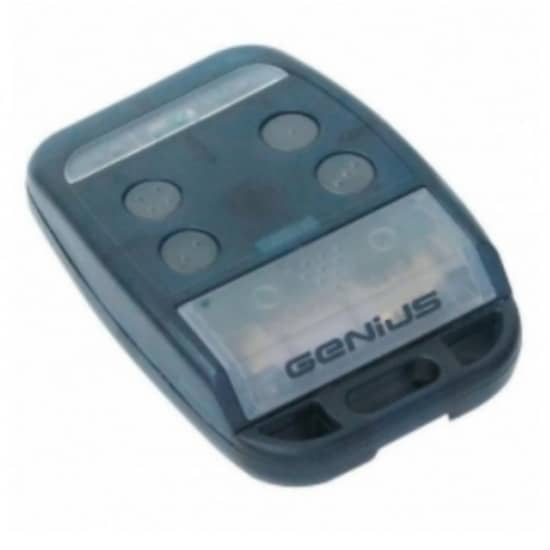
Genius Bravo Remote
$ 43.17
CODING INSTRUCTIONS CODING VIA RECEIVER 1 - On the receiver, press the push-button for the channel you wish to code - SW1 to store CH1 and SW2 to store CH2. LED 1 or LED 2 will light on steady light to signal that the receiver is in learning mode. 2 - Press on the remote within 10 seconds and hold down the push-button you wish to code for at least 1 second. 3 - If storage was successful, the LED flashes twice. 4 - After the first remote has been coded, the receiver stays in learning mode, with the LED lighted on steady light. 5 - To code successive remotes (up to a maximum of 256), repeat the operations from point 2. 6 - When 10 seconds have elapsed from coding of the last remote, the receiver automatically exits the learning stage. You can exit the learning procedure manually, by pressing one of the pushbuttons on the receiver (SW1 or SW2) after the remote has been stored. CODING FROM A WORKING REMOTE 1. With your already-programmed remote control and your new remote control, proceed to the vicinity of the receiver. 2. On the pre-programmed remote control, simultaneously press the P1 and P2 buttons and hold it until the two LEDs L1 and L2 flash on the receiver. Release the buttons. 3. While the two LEDs will flash on the receiver, press the button you want to program. The LED (L1 or L2) which is assigned to the button will flash. 4. While the LED is flashing, press on the new remote control, the button to be programmed. The receiver LED will flash, then lights up permanently. Release the button. 5. After 10 seconds, the LED on the receiver goes out. 6. Your new remote control is now programmed.
Produk lain